Designing Docket Frameless: An AI Agent Built Into the Homepage
August 13, 2026




Before a buyer ever lands on our website, they've usually already asked an AI what to buy. Most B2B buyers now use large language models somewhere in their purchase process, and more than half start research with a conversational AI tool rather than Google. By the time someone reaches our site, they're often two-thirds of the way through a journey I never saw happen.
That traffic is the best a site gets. These visitors arrive pre-qualified and convert at several times the rate of organic search. But their minds aren't made up yet. The website is the moment a pre-formed opinion gets confirmed, or lost.
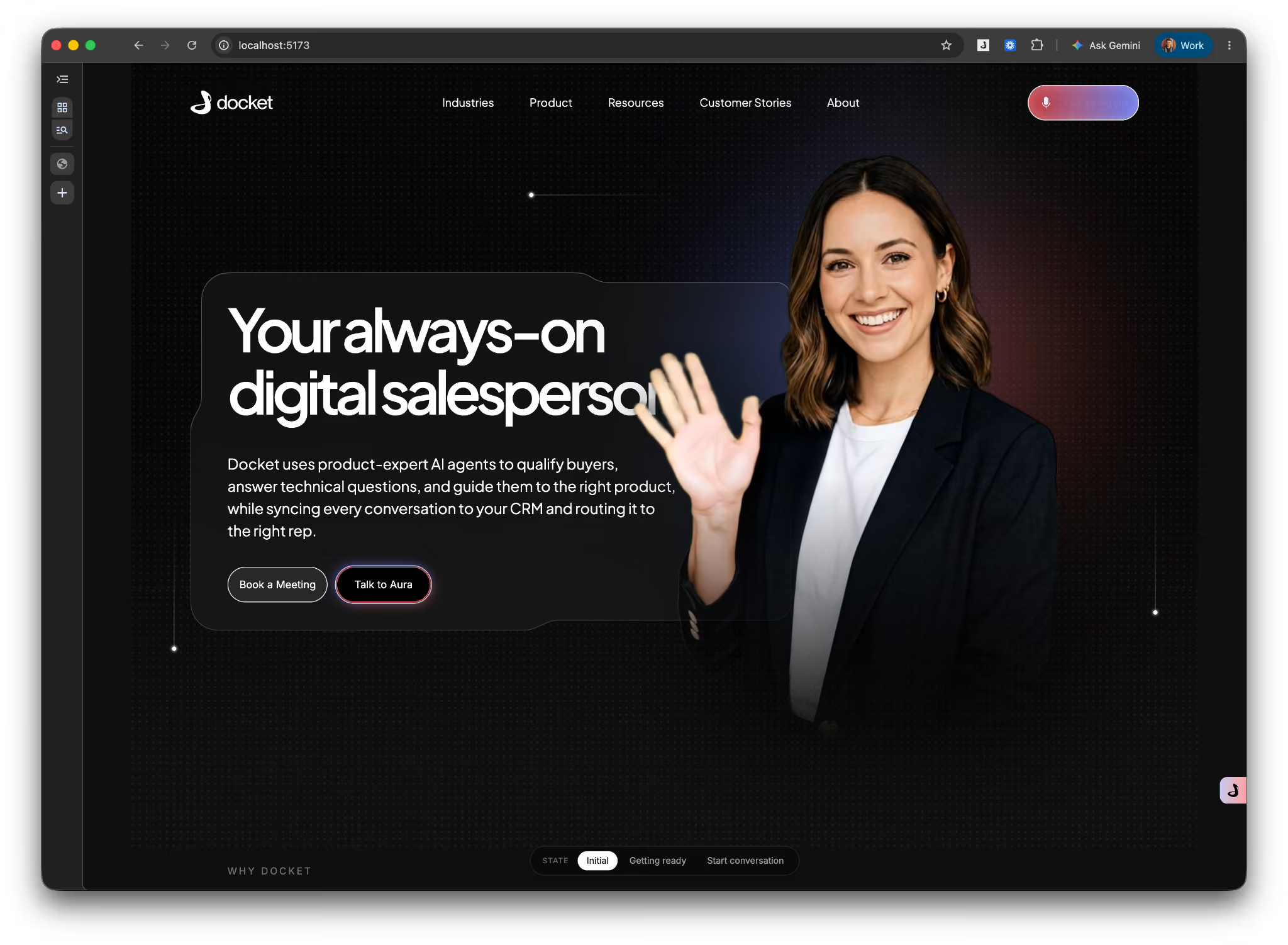
What we built for that moment is Docket Frameless. Aura now lives directly in our homepage hero instead of a corner chat widget, present the instant a visitor lands rather than waiting behind a button. If you haven't read about what shipped and why, our launch post covers that. This post is the behind-the-scenes: how we actually built it.
I want to walk through how, the reframe, the casting, the video pipeline, the state machine underneath it, and the failure modes that shaped the final build.
We started from Docket's existing website agent: a floating avatar widget, positioned bottom-right, triggered on click. But like anything, there's always room to push further. The question I kept coming back to wasn't "is this good," it was "how much of our best traffic never gets far enough to find out." A visitor has to notice a small icon, decide it's worth a click, and open it before any of that value kicks in. On our own homepage, the highest-intent traffic we get, that's a lot of steps standing between someone landing and someone actually getting help.
What we were chasing: for this specific page, our own front door for prospects who've usually already done their homework elsewhere, could a different form factor get more of them to actually start the conversation in the first place?
The answer we landed on: move her out of the corner entirely and build her directly into the homepage hero itself, present from the moment the page loads, not waiting behind an icon. That's Docket Frameless. The rest of this post is how we actually got there.
We didn't start in Figma. Our way of working is to prototype first.
Before a single screen was designed, we generated a handful of sample avatar video clips and wired them directly into a rough, functioning prototype: an agent that could actually greet, talk, and react, running in a browser.
That prototype is where the concept earned its confidence. The moment the wider team saw the avatar turn and respond in real time, the reaction in the room told us the core bet, an integrated, human-presence agent instead of another widget, was right. Everything after that was refinement of something we'd already watched work.
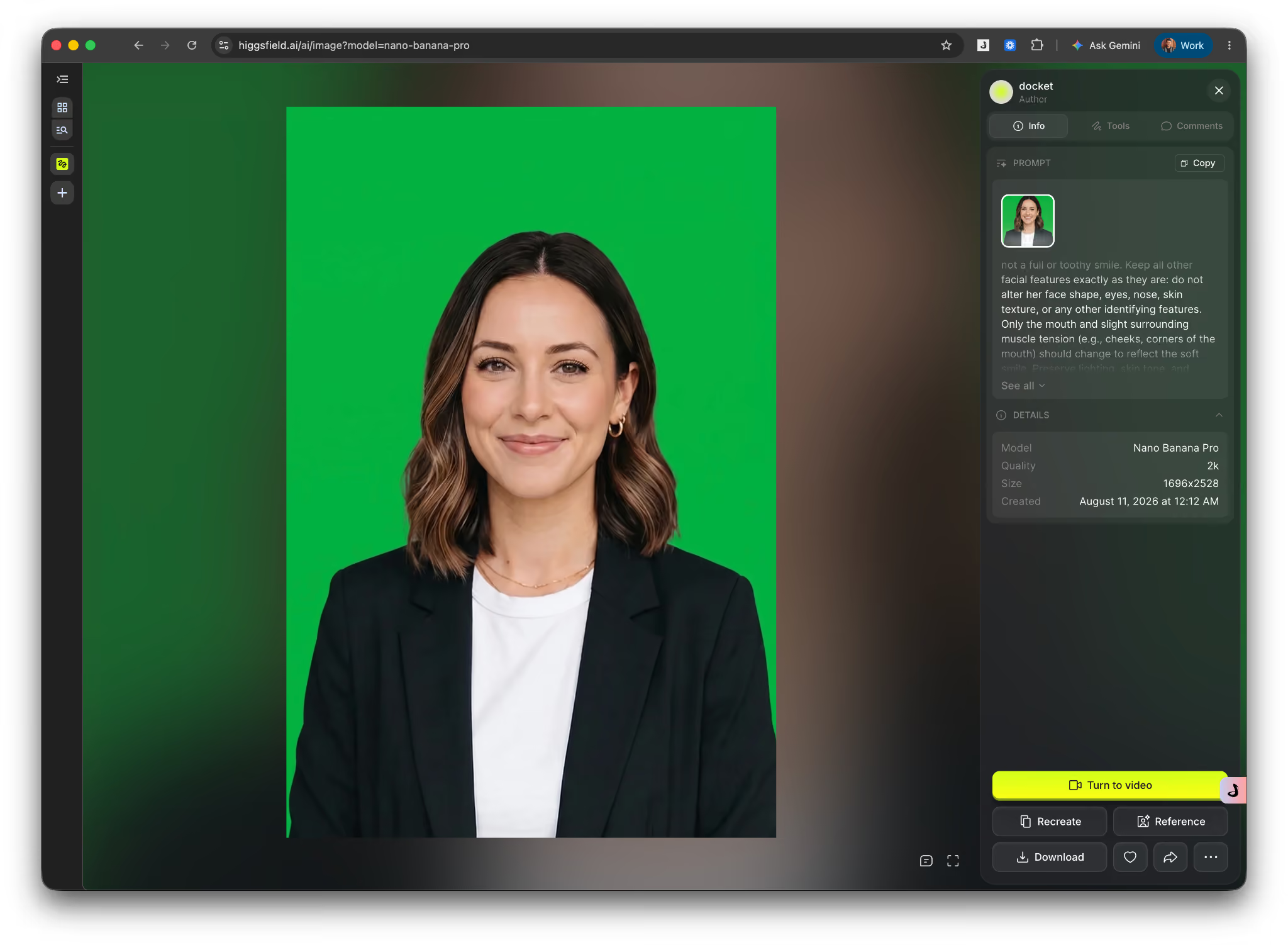
Casting an AI avatar means deciding who she is before deciding what she looks like on screen. That's a character decision, not a layout decision, and it had to come first, because every UI choice downstream depends on it. The single hard requirement: this has to be someone a visitor would actually want to talk to. Approachable, warm, low-friction to start a conversation with.
Past that, it's a register problem. Too casual, and the avatar can't credibly speak for the product. Too polished or corporate, and it reads as stiff and salesy. We landed in the middle: a presence that reads as a trustworthy salesperson, credible enough to field a real buying question, human enough that the interaction doesn't feel transactional.
This was the most fun, and most technically finicky, part of the whole project.
We built this on Anam's avatar technology, which gave us the foundation to iterate on the harder problem: making that avatar feel present rather than rendered.
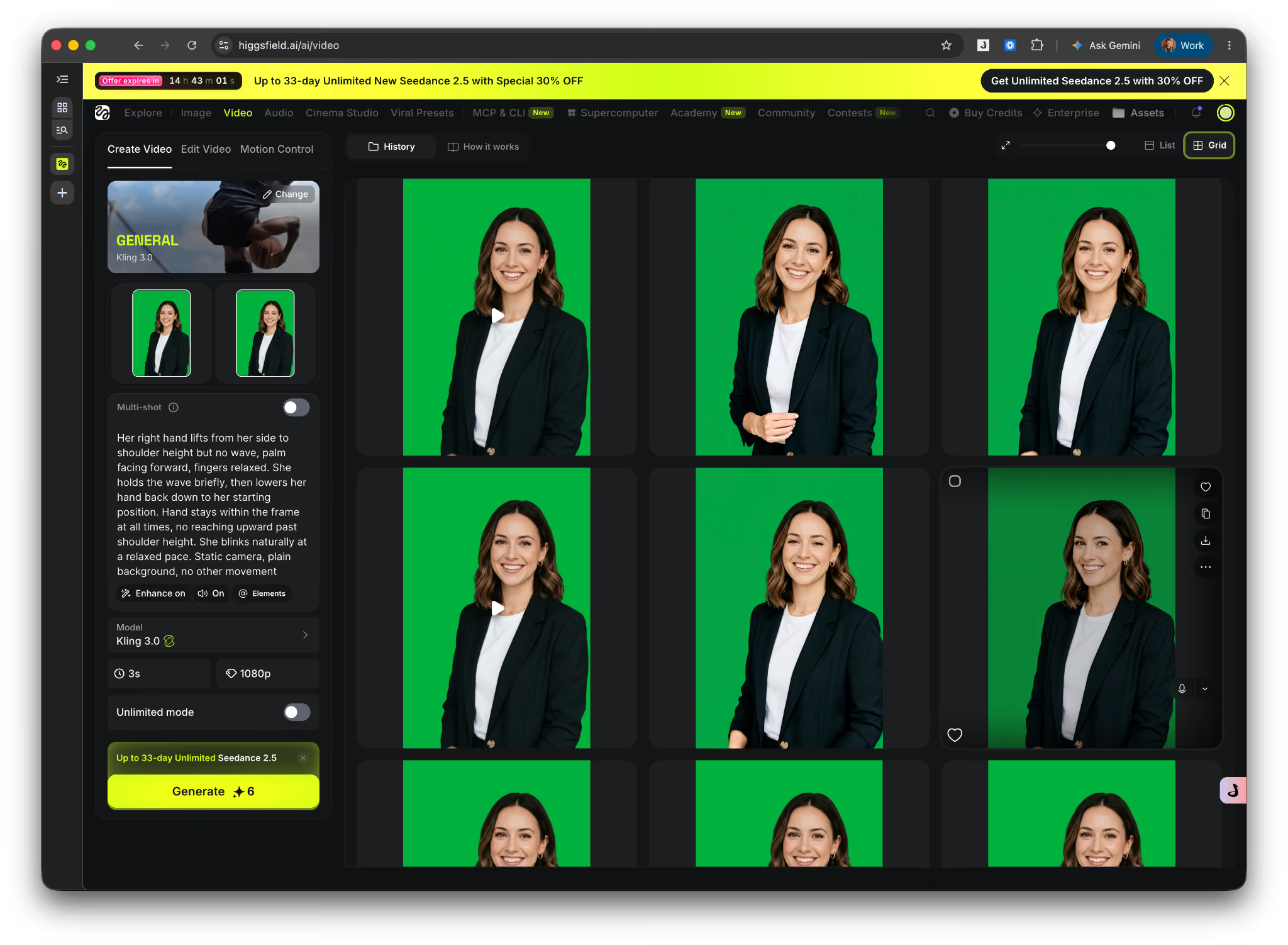
The avatar runs on AI-generated video, and getting it to feel alive, rather than looping, took real iteration on the generation and compositing pipeline, not just prompt tweaking. We obsessed over the micro-details, the quality of the movement, even the blinks. A blink that's too frequent, too mechanical, or badly timed instantly breaks the illusion, so every small motion was deliberate.
Two constraints drove almost every decision:
No visible waiting, no visible seams. The avatar has to read as continuous and present at all times, no frozen frame while a new clip loads, no visible cut between states. A single looping clip couldn't do this. We generated and composited multiple clips per state (resting, listening, speaking, thinking) and built the transition logic so the system could move between them without a hard cut ever being visible to the visitor.
No repeated beats. A human doesn't reproduce the exact same gesture twice in a row. A single idle loop reads as robotic within seconds. So we generated several idle variations per state and played them in random order. This way, the small, natural variety makes a presence feel real rather than canned.
The single decision I'm proudest of is the entrance. The default resting state has the avatar turned slightly away, present but not staring the visitor down. The instant a conversation starts, she turns and steps forward toward the camera. That one motion, coming forward to meet the visitor, did more to sell the "someone's actually there" illusion than anything else in the build. It's the difference between a picture on a page and a presence that just noticed you and leaned in.
With the avatar itself working, the design brief became clear: instead of placing an agent on the website, build it into the website's rendering itself.
Concretely, that meant compositing the avatar into the homepage hero as transparent-background video, so it blends into the page rather than floating above it in a box. It doesn't claim a separate corner or block the content. The avatar sits in the same visual plane as the hero itself.
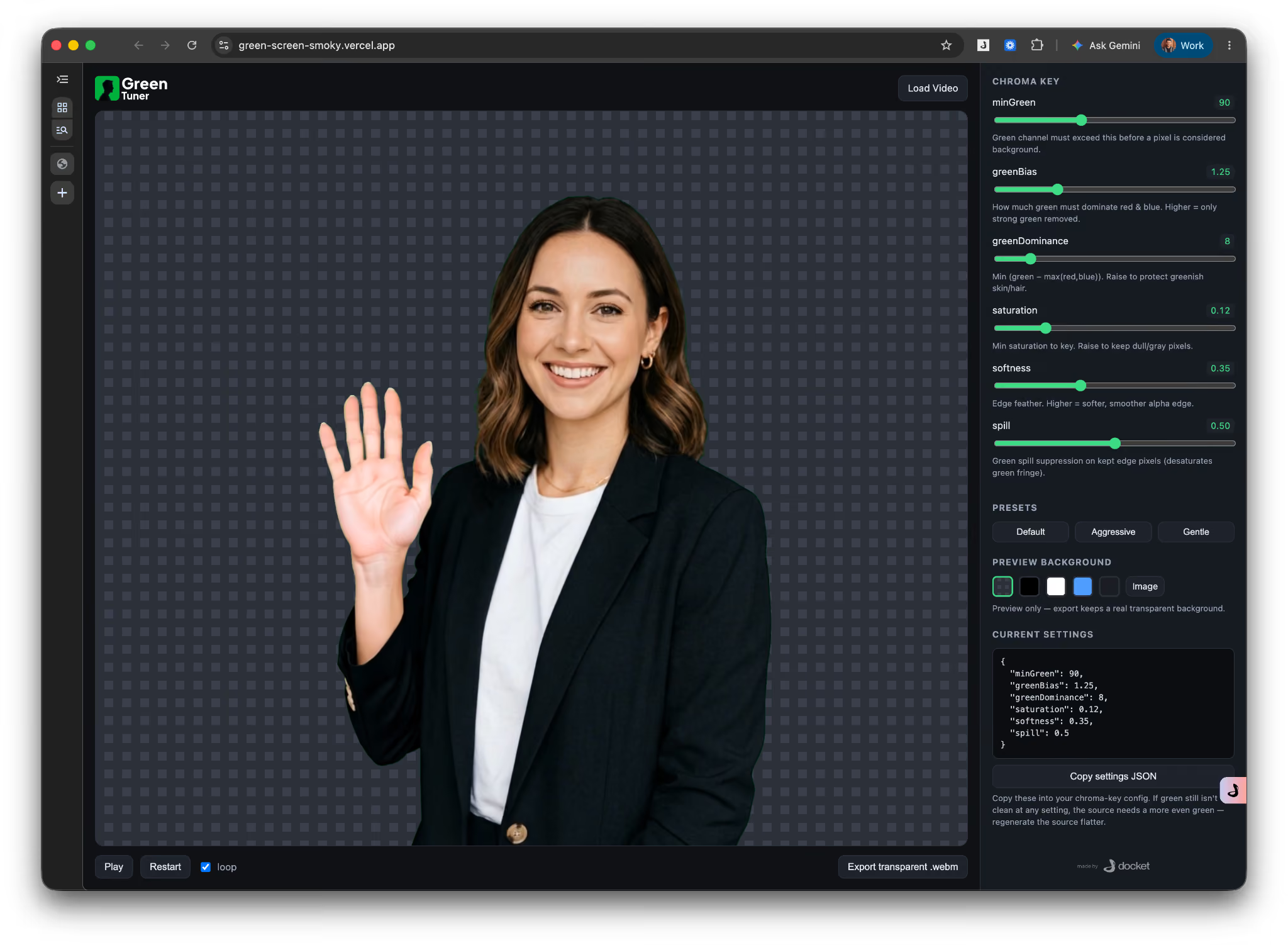
Note: Removing the green screen from the avatar footage turned out to be harder than expected. The chroma key never quite cooperated. We tried value after value, and nothing held up. Either a faint green fringe clung to her hair and shoulders, or the key cut too aggressively and ate into the edges of the avatar herself. After enough rounds of guessing numbers and re-rendering, I built a small tool—GreenTuner—to take the guesswork out of it. It is a live tuner that lets you adjust the key values against the actual footage and see the result on the background in real time. With just a few adjustments in that tool, we landed on the exact values we'd been hunting for — a clean edge, no green spill, and an avatar that finally composited into the page like she belonged there.
Try the tool here: https://green-screen-smoky.vercel.app/
That one move unlocked things a bubble never could: the avatar can greet you like a host, pull the page's own content into the conversation live, and recede out of the way as the visitor scrolls, instead of staying pinned in a fixed corner regardless of scroll position.
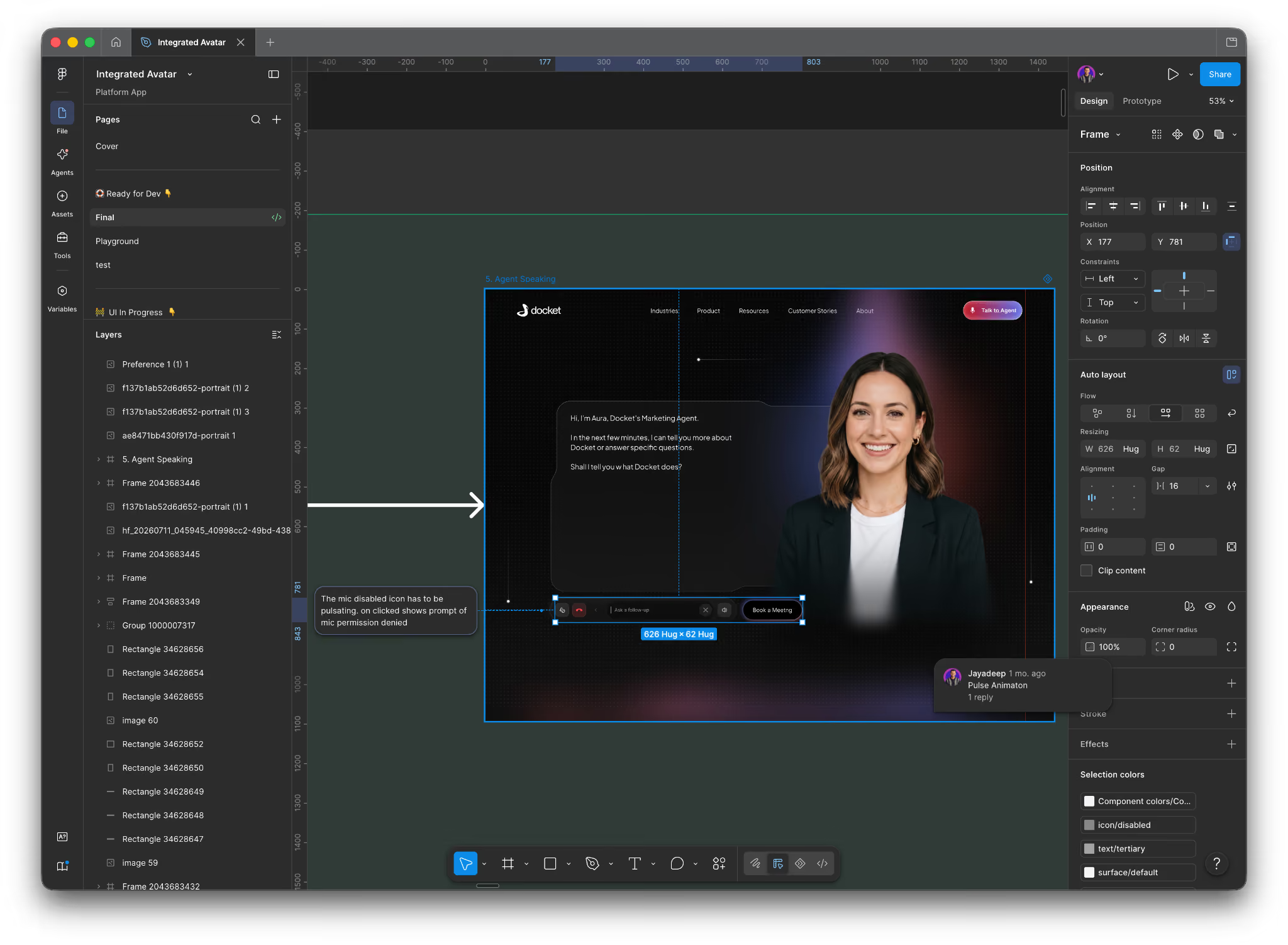
We tested a few different ideas for how the page should behave once a conversation starts, before landing on the current one.
One direction was an "ask-first" hero, where instead of the usual homepage layout, the entire hero became a single open question, essentially replacing the normal marketing page with a prompt asking what the visitor needed. Another was a hybrid, where a familiar, scannable homepage sits next to the agent in its own persistent panel. A third was "answer-aware," where the page's layout itself would restructure based on the visitor's very first question.
We tested all three against one rule: it still has to feel like a real marketing website. That ruled out the ask-first version and pointed toward keeping the page intact and letting the avatar bring it to life on top of it, rather than replacing it.
The sharpest decision was what happens the moment a visitor actually asks something. One option kept the conversation contained in a side panel, separate from the page. The version we shipped instead has the agent drive the page itself: ask about pricing, and the avatar navigates to the pricing section, pulls the relevant content into a shared surface, narrates over it, and shrinks into a small "mini mode" off to the side while the page itself takes over as the main visual. That's the version where the agent functions as part of the site's own navigation, not a separate chat window sitting next to it.
From there it was the less glamorous work that actually determines whether something like this holds up in production: making sure the avatar shrinks out of the way while narrating so she never blocks the content she's pointing at; tuning how she collapses into mini mode as you scroll and reappears when you scroll back; handling a weak connection gracefully, dropping to a blurred video frame with audio still live, then to text, instead of the experience just breaking; and deciding what happens if a visitor goes quiet mid-conversation without explicitly ending it.
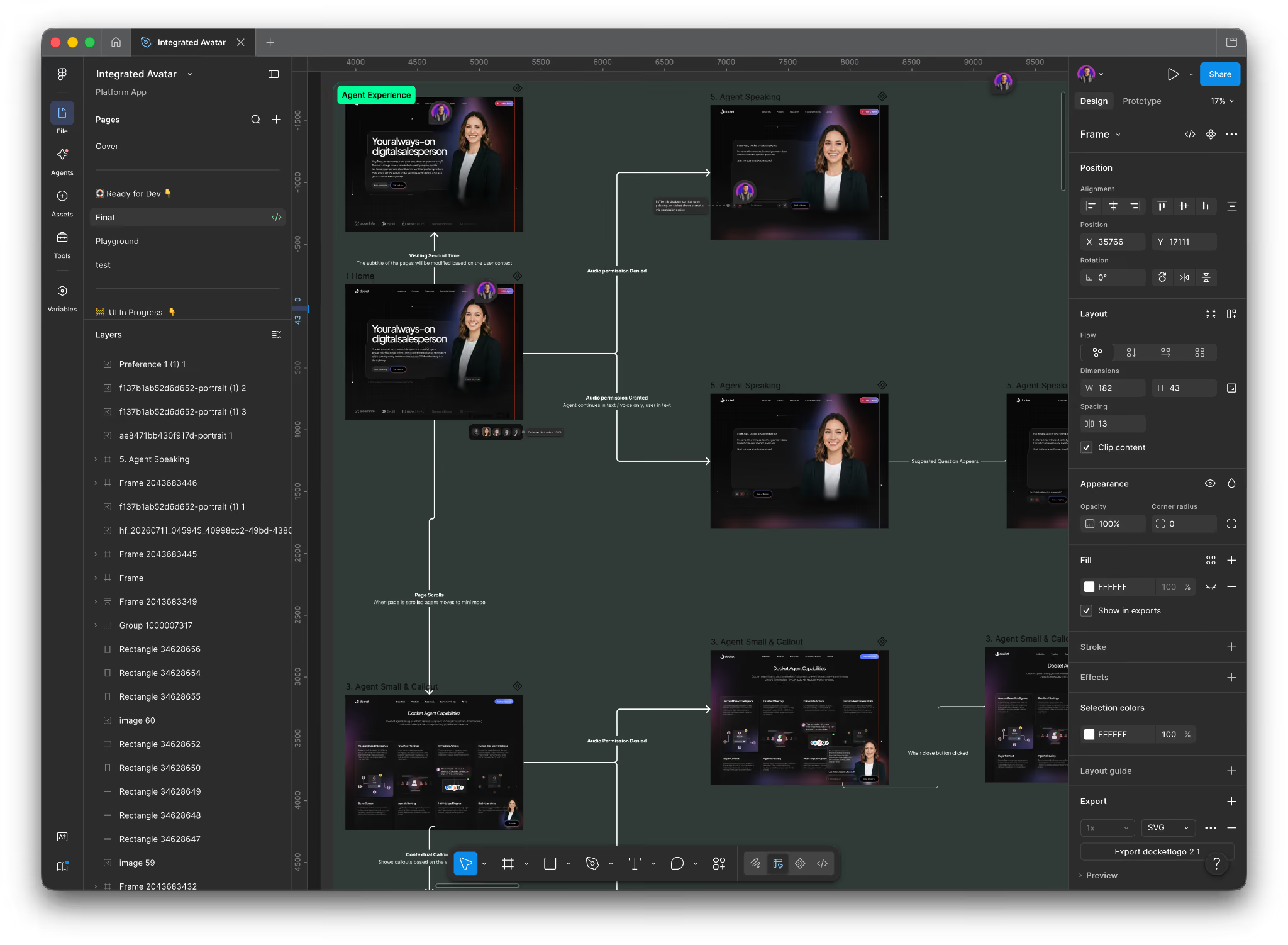
A few rules governed the interaction state machine:
Strictly visitor-initiated. An informed visitor scanning a page doesn't want to be interrupted by an unsolicited voice. The agent stays in a fully passive, silent state until the visitor clicks, taps the avatar, or engages a callout. Until that trigger fires, the page behaves exactly like a static site, no idle prompts, no timed pop-ins.
Voice-first, text-always. A conversation opens in voice with live captions rendered on screen, but audio output is never a hard requirement, captions alone carry every answer, and a single tap switches the entire session to text input and output. This has to hold true at every point in the conversation, not just at the start.
The conversation replaces the form, end to end. Rather than surfacing a lead-capture form at any point, the agent extracts qualification details conversationally as the visitor talks, can book a meeting directly within the session, and syncs a structured, context-rich lead record to the appropriate rep.
Disclosed and controllable at every step. The agent is explicitly labeled as AI, with no attempt to pass as human. The visitor can mute, switch to text, or end the session at any point in the flow, and each of those controls has to be reachable in one interaction, not buried in a settings menu.
On our own homepage, in front of our highest-intent traffic, we wanted the agent to be part of the first thing a visitor sees, not something they have to notice and choose to open first.
That's the bet: meet an AI-informed buyer with an experience that feels like part of the page itself, present the instant they arrive, rather than something bolted onto it after the fact.
Try Docket Frameless with Aura at docket.io.